Wings Fight Trello & Discord — Verification Status
What we can and cannot confirm from Roblox and Clickingg — plus phishing defenses and wiki alternatives.
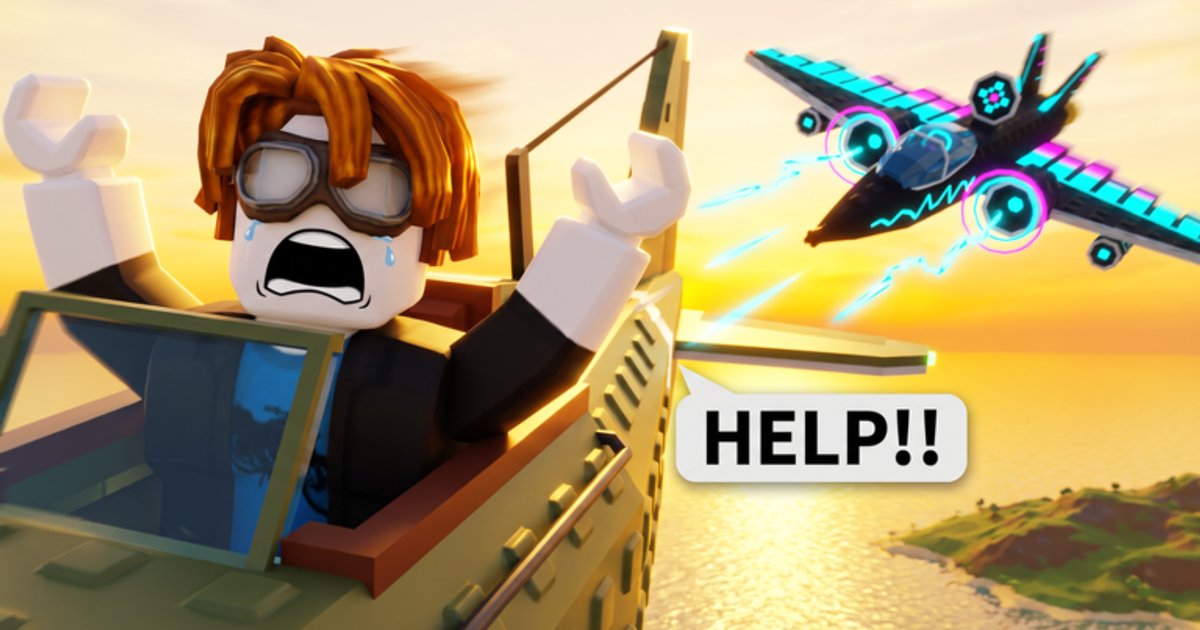
Players searching Wings Fight Trello or Wings Fight Discord want a living roadmap, patch chat, and code drops in one place. That demand is reasonable. Publishing a guessed invite is not. This page states the verified status as of late November 2026, explains how to confirm future official links yourself, and lists safer alternatives on this fan wiki and on Roblox while socials stay unconfirmed.
Wings Fight is Clickingg’s free Roblox arcade aerial combat experience (placeId 88661816960259, universeId 10774598960), launched November 4, 2026, with 30+ airplanes, mid-air repairs, special abilities, and servers capped at 10 players. Early visit counts climbed toward roughly one million within weeks. Rising titles attract both real community tools and copycat phishing. Treat every invite like a hangar purchase: verify the seller.
Honest status — late November 2026
After checks against the official Roblox game page and Clickingg group surfaces available during late-November reviews:
- Official Trello board: NOT verified. This wiki will not invent a board URL, claim a public roadmap exists, or paste a lookalike
trello.comlink from a random video description. - Official Discord server: NOT verified. This wiki will not invent an invite code, publish
discord.gg/...guesses, or pretend a “staff verification” server is official.
Absence of a published invite here is intentional honesty, not a missing section. When Clickingg links a Trello or Discord from the Roblox page or group in a durable way, this page and the Links Hub can be updated with clear labels. Until then, assume unsolicited invites are untrusted.
Why new Roblox games get fake Trello / Discord spam
Aerial battlegrounds keywords trend fast. Bad actors clone thumbnails, reuse the game name in server titles, and promise:
- “Working codes list updated hourly”
- “Free admin planes / private hangar”
- “Script giveaways” or “unban appeals”
- “Staff application — verify with password”
None of those require a real Clickingg connection. They require a victim who trusts a comment more than the Roblox creator link. Pair this page with the Scripts Hub (no verified Wings Fight-specific public scripts documented for this place during checks) and the Codes Hub (no durable public promo table verified as of late November 2026) so you are not hunting phantom tools in phishing lobbies.
How to verify a future official Trello or Discord
Use this checklist whenever someone claims “the real server dropped”:
- Open the official Wings Fight Roblox page.
- Read the description and any creator-linked social / community buttons Roblox exposes for the experience.
- Open the Clickingg creator group from that same page (search Clickingg on Roblox if needed; owner mention elsewhere: MisfitsBStheFourth).
- Look for wall posts, shouts, or linked socials that repeat the same Trello or Discord URL.
- Prefer links that appear on both the game page and the group, or that are clearly restated by the creator account chain — not a single YouTube comment.
- Open the destination carefully. Official Discord branding still gets spoofed; check server name, join date patterns, and whether “admins” immediately DM you for credentials.
- Never paste your Roblox password into Discord, Trello, Google Forms, or “verification bots.”
If step 2–4 fail, you do not have a verified official link yet — regardless of how many subscribers the thumbnail video has.
Phishing patterns to reject immediately
- DMs that say you must “verify ownership” of your hangar on an external site
- Invites that require downloading an
.exe, APK, or browser extension to “unlock Trello view” - Servers that demand Robux tips for “code roles” or “early plane tiers”
- Forms that ask for cookie strings,
.ROBLOSECURITY, or backup codes - Lookalike group names that swap letters in Clickingg or Wings Fight
- “MisfitsBStheFourth needs your account to restore purchases” impersonation
Roblox login belongs on Roblox. Wiki pages on wingsfight.wiki will not ask for your password. Report phishing through Roblox’s normal tools, then return to bookmarks from the Links Hub.
What to use instead while socials are unverified
You do not need a Discord seat to improve at Wings Fight. Use durable surfaces:
Official Roblox
- Play Wings Fight — join, favorite, and re-read the description after patches
- Clickingg group wall / shouts — earliest trustworthy patch and event channel while socials settle
This fan wiki (not official Clickingg products)
- Updates Hub and dated notes such as November 2026 launch — timeline and early-patch themes
- Codes Hub and How to Redeem — redeem process without fake generators
- Guides Hub — Getting Started, Controls, Combat, Planes, Abilities & Repairs, Currency Farming
- Tier List and Planes Tier List — role-based spending advice
- Players Hub — ten-player dogfight habits
- Tools Hub — sensitivity and post-patch smoke-test mindset
- Scripts Hub — risk education, not invented loadstrings
Bookmark those hubs. They answer the same intents people chase on Trello (roadmap curiosity) and Discord (codes, tips, patch chat) without handing your session to a stranger.
Trello-shaped questions this wiki can answer without a board
Players open Trello boards for “what’s coming,” “what’s broken,” and “what’s meta.” Translate those intents:
- What’s shipping / shipped? → Updates, launch notes, and the Roblox “last updated” signal on the experience page
- What’s strong? → Tier List role bands; retest after patches instead of freezing a card forever
- How do systems work? → Guides for combat, planes, repairs, and controls
- Free rewards? → Codes when strings exist; honest empty boards when they do not
A public Trello is nice when official. It is not required for competent play in a 10-player aerial FFA.
Discord-shaped questions without an invite
- Patch chat → Clickingg group + Updates hub the same day a client bumps
- LFG / duo habits → practice etiquette from Dogfight Habits; voice with friends you already trust
- Code alerts → Codes hub + redeem guide; never “paywall roles”
- Report cheats → Roblox report tools; context on Scripts without downloading malware “to check”
If you join a fan Discord later that is clearly unofficial, treat it as entertainment, not authority. Fan servers can still host helpful clips — they can also host fake code bots.
Suggested verification routine after each Clickingg update
- Open the Roblox game page; note description changes and any new social buttons.
- Skim the Clickingg group shout / wall.
- Skim Updates on this wiki.
- Only then consider community invites that match URLs from steps 1–2.
- Smoke-test your main hangar via the Tools mindset before rewriting spends.
That routine keeps roadmap curiosity from becoming a phishing incident.
About this page’s policy
wingsfight.wiki is an independent fan guide site. It is not an official Clickingg product. We align facts across pages — free Roblox distribution, Clickingg creator, November 4, 2026 launch, 30+ airplanes, mid-air repairs and specials, max 10 players — and we refuse to invent Discord invites, Trello boards, or social handles we cannot root in Roblox. When official links stabilize, they will be labeled clearly on the Links Hub and referenced here.
Until that day: play from the official experience link, follow Clickingg on Roblox, use the wiki hubs above for depth, and treat every unsolicited invite as hostile until proven otherwise.
Clear skies — verify first, click second, and never trade your account for a roadmap screenshot.
Frequently Asked Questions
Quick answers to the most common questions.
Is there an official Wings Fight Discord?
As of late November 2026 checks against the Roblox game page and Clickingg group, no official Discord invite was verified for this wiki to publish. Confirm future invites only from those official surfaces.
Is there an official Wings Fight Trello?
No official Trello board was verified during late November 2026 reviews. Do not trust random trello.com links in video descriptions until Clickingg links one from Roblox.
How will I know when a real Discord or Trello appears?
Watch the official Wings Fight Roblox page description/social buttons and the Clickingg group. Prefer matching URLs from both. This Links section will update when a durable official link is confirmed.
What should I use instead of Discord for codes and patches?
Use the Codes Hub, How to Redeem, Updates Hub, and the Clickingg group wall. They cover free rewards and patch context without phishing invites.
Someone DMed me a “staff” Discord for free planes — safe?
No. Official redemption and hangar progress happen inside Roblox. Staff impersonators asking for passwords, cookies, or off-platform logins are scams — report and leave.