Getting Started in Wings Fight
Your first hour in Clickingg’s arcade aerial combat — from spawn to your first upgraded fighter.
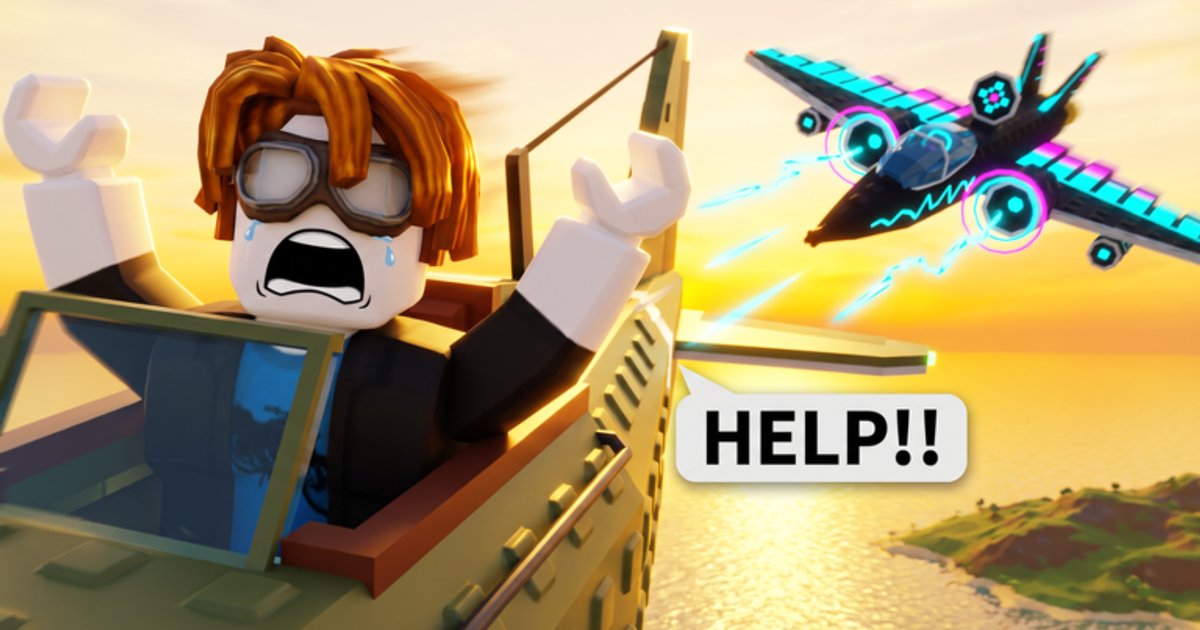
Wings Fight is a free Roblox arcade aerial combat experience from the Clickingg group. You spawn into a server of up to ten players, pick a plane, and duel in the open sky. The loop is simple on paper—fight, earn currency, buy stronger airplanes, collect mid-air repairs and special abilities—but the first session decides whether you learn the pace or get farmed. This guide covers day-one setup, your first flights, when to buy an upgrade, how repairs and abilities work, how to claim codes, and the mistakes that wipe new pilots.
If you only remember one rule: treat every life as practice for energy, angles, and pickup timing. Ranked comfort comes later. For deeper systems after this page, open the controls guide, the combat guide, and the planes guide.
Join Wings Fight on Roblox
Open Roblox, search for Wings Fight, or go straight to the official experience page linked from this wiki’s links hub. Confirm the creator is Clickingg and that the description mentions 30+ unique airplanes, mid-air repairs, and special abilities. Favorite the game so it stays on your home list. Join a public server; wait for a full lobby if you want denser fights, or a quieter server if you prefer learning without constant pressure.
Wings Fight launched on 4 November 2026 and is free to play. Premium or group bonuses may appear in future updates—check the updates hub when patches land. Before you leave the lobby or hangar UI, skim any tutorial prompts and open Settings so you know where keybinds live. Exact binds can differ by platform; always verify them in-game rather than memorizing a third-party list alone.
Your first flight
Spawn, select the starter airplane, and get airborne. Spend the opening minute on throttle feel, climb rate, and how quickly the nose answers the mouse or stick. Fly a wide orbit above the map so you learn vertical space: ridges, open sky, and low corridors all change how chases end. Practice gentle turns before hard pulls—early stalls or overshoots feed free shots to anyone behind you.
When another plane appears, decide whether you have altitude and speed (energy) or whether you should disengage. New players often chase the first red marker they see and bleed energy until they become an easy kill. If you are low and slow, climb away, collect a repair if one is nearby, and re-enter with a height advantage. That habit alone separates survivors from cannon fodder.
Buy your first upgrade plane
Currency comes from surviving, scoring hits, and finishing fights. Do not dump every coin into the first shiny model in the shop. Your first paid plane should fix a clear weakness of the starter: too little speed, too little firepower, or too little durability. Prefer a modest, flexible mid-tier fighter over a fragile glass cannon you cannot keep alive.
Before you purchase, skim role notes in the planes guide and early rankings on the planes tier list. Interceptors punish slow targets; tanks forgive mistakes; glass cannons demand clean aim. On day one, forgiveness beats peak damage. After the buy, fly several lives in quiet air to learn the new turn radius and ability timing before you force 1v2 fights.
Collect mid-air repairs and special abilities
Repairs and ability pickups spawn in the airspace. Route your flight path so you can scoop them without flying straight into someone’s guns. A repair mid-duel can flip a lost trade; an ability used too early is wasted cooldown. Learn which pickups restore health versus which grant burst tools—boosts, defensive pulses, or offensive specials depending on the current plane kit.
Common day-one error: ignoring pickups until you are already on fire, then diving into contested air where enemies camp the crates. Better pattern: after a trade, climb, grab a safe repair, reset your energy, then re-engage. Pair pickup awareness with the tactics in the combat guide.
Claim codes early
Promo codes can grant currency, boosts, or cosmetics. Open the codes hub for working lists and redemption steps, then redeem before you grind the shop so free value accelerates your first upgrade. Codes expire—recheck the hub after updates. Never share account login details with “code redeem” sites; use only the in-game redeem UI.
If scripts or automation ever interest you, read the scripts hub carefully and understand Roblox ToS risk. This getting-started path assumes fair play: learn flight, earn planes, improve aim.
Read controls before you blame the plane
Many “broken plane” complaints are sensitivity and camera issues. Visit the controls guide for PC, mobile, and controller expectations: movement, aim, shoot, and ability keys framed for typical Roblox flight combat, with a reminder that Settings shows exact binds. Lower look sensitivity if you overshoot every lead; raise it if you cannot track a turning foe. On mobile, enlarge touch zones and practice one clean banking turn before full matches.
Progression loop that actually works
- Warm up in a low-pressure orbit and confirm binds.
- Take fair fights; bank currency from consistent damage, not only flashy kills.
- Redeem any active codes.
- Buy one solid upgrade that matches your preferred role.
- Learn that plane’s ability and repair timing for ten lives.
- Review the tier list and planes tier list so your next purchase is intentional.
- Drill combat habits from the combat guide instead of rage-swapping planes every death.
Repeat. Wings Fight rewards pilots who master one airframe before hopping the entire hangar. With 30+ airplanes in the roster, collection is a marathon. Track patch notes on updates so you know when a favorite gets buffed or nerfed.
Common newbie mistakes to avoid
- Tunnel vision on one target. Losing track of altitude and third parties ends runs.
- Spending currency on cosmetics first. Power first; style later.
- Never collecting repairs. Mid-air healing is a core mechanic, not optional flavor.
- Holding abilities forever. A timed special beats a unused special.
- Ignoring verticality. Pure horizontal circles favor whoever already out-turns you.
- Skipping Settings. Wrong binds or sensitivity feel like a weak plane.
- Blaming lag for bad merges. Merge head-ons with an exit plan.
What to open next
After your first upgraded fighter feels comfortable, deepen mechanics with combat and planes, keep binds sharp via controls, and cross-check meta guesses on the planes tier list. Browse players for community context and scripts only if you understand the risks. Bookmark this wiki and return after each major patch.
You do not need every airplane on day one. You need clean takeoffs, smart repairs, one trustworthy upgrade, and the discipline to disengage when energy is gone. Master that loop and Wings Fight opens up fast.
Frequently Asked Questions
Quick answers to the most common questions.
Is Wings Fight free to play on Roblox?
Yes. Wings Fight by Clickingg is free to play. You unlock stronger airplanes with in-game progression; optional Robux offers may appear in the experience store.
How many players are in a Wings Fight server?
Servers support up to 10 players. Smaller lobbies are quieter for practice; fuller servers mean more fights and pickup contest.
What should I buy first after the starter plane?
Buy a flexible mid-tier fighter that improves speed or survivability before a fragile glass cannon. Check the planes guide and planes tier list, then learn that airframe for several lives.
Where do I redeem Wings Fight codes?
Use the in-game redeem UI, then confirm active codes on the codes hub. Redeem early so free currency speeds your first upgrade.
Why do mid-air repairs matter so much?
Repairs and special ability pickups are core to Wings Fight. Scooping a safe repair after a trade resets fights; ignoring pickups leaves you soft against upgraded planes.